Solitaire Classic Klondike
Wood Puzzle Sudoku GamesCard
4.6936.00 Reviews
- Version
- 1.7.5
- Installs
- 1.00M
- Age Rating
- Everyone
Screenshots
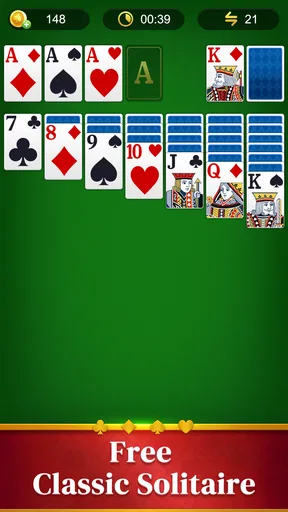
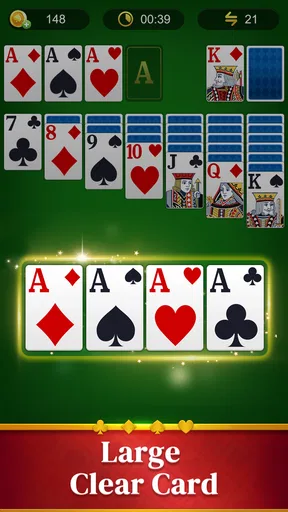
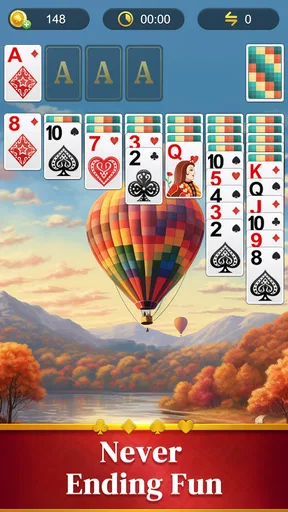
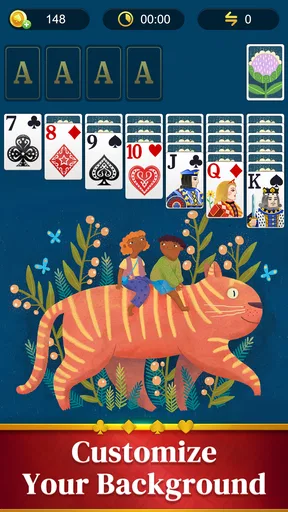
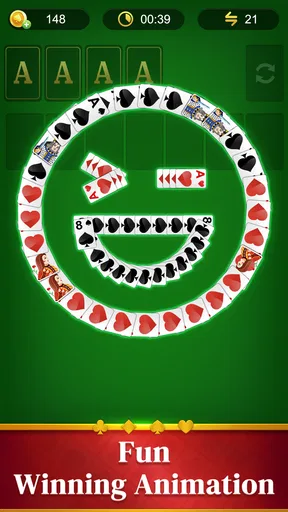
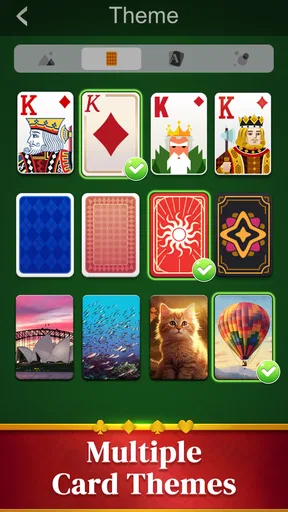
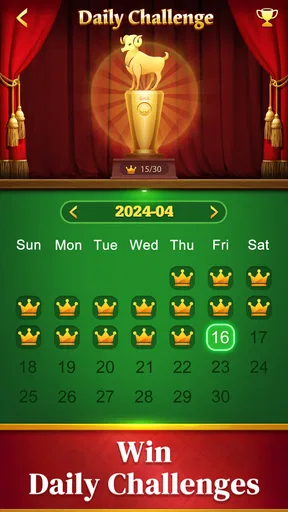
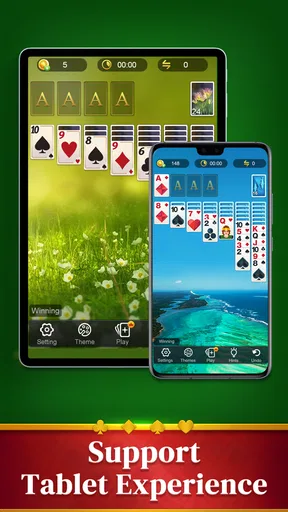
Our Review of Solitaire Classic Klondike
 Analysis by Appyee
I keep coming back to simple card games when I want something quiet rather than another demanding app. Solitaire Classic Klondike, made by Wood Puzzle Sudoku Games, fits that mood well. It is a free card game built around the familiar Klondike layout, so I could start playing without learning a new rule system or setting aside a long session. My first impression was that it works best as a small break: a few minutes while waiting, a relaxed evening round, or a low-pressure game on a shared tablet.
The appeal is not that it reinvents solitaire. It is that the basic format remains easy to understand and satisfying to repeat. The game is aimed at Everyone, and its broad accessibility is one of its strongest qualities. It has reached over one million installs, with a 4.7 average from around fourteen thousand ratings, which suggests that its straightforward approach has found a sizeable audience. I would still look beyond those figures and think about how the game fits your household, your patience for repetition, and the kind of card experience you actually want.
How Solitaire Classic Klondike Works in Everyday Use
I look at everyday use as more than simply opening a hand: the useful question is whether this familiar Klondike layout suits the small gaps in a real day. I’d keep the play session easy to pause and treat each deal as a compact puzzle, not a commitment to finish at any cost. That practical rhythm also makes the game’s visual and audio choices worth considering.
A natural fit for a shared phone or tablet
On a household device, this type of solitaire has an advantage over games that demand a personal account, a long campaign, or regular competition. Someone can pick it up, play a hand, and put it down without affecting another person’s progress in a story or multiplayer match. I can imagine one person using it during a coffee break, then handing the device to another family member who simply wants a calm puzzle. That makes it more practical for a shared tablet than many modern card games designed around individual profiles.
The important boundary is that a shared device is not the same thing as a shared game identity. I would not treat a common tablet as a reliable place for separate personal records, preferences, or achievements unless the game clearly presents those options during use. For casual turns, that distinction does not matter much. For a household that wants each person’s history kept apart, it is worth deciding in advance whether the game will be used as a communal pastime or as an individual app.
My preferred routine is simple: keep the game available for short sessions, let each player finish or abandon a hand before passing the device on, and avoid assuming that the next person will know whose round is open. That small habit prevents confusion, especially when a child starts a game and an adult later returns to the same screen. The game’s uncomplicated nature makes this handoff easy, but the household still needs to provide the organization.
What the opening experience gets right
The Klondike format does most of the teaching through recognition. If you have played classic solitaire before, the objective is immediately familiar: arrange cards by suit in ascending order while exposing and moving cards in the tableau. If you have not, the layout is still less intimidating than a strategy game with many menus and systems. I appreciate that the central challenge is visible on the table rather than hidden behind a tutorial-heavy progression.
That familiarity also makes it suitable for mixed-age use. A parent can explain the basic goal in a few minutes, and an older child can begin experimenting with moves without needing a complicated rulebook. I would introduce it as a thinking game rather than as a competitive test. A hand can become awkward through an early choice, and that is part of learning the structure, not a reason to pressure a younger player.
There is a useful difference between explaining the rules and directing every move. When I play with someone new, I point out that uncovering a face-down card is often more valuable than making a move that merely creates a neat-looking stack. That single idea teaches planning without turning the game into a lecture. It also reveals one of Klondike’s lasting strengths: ordinary-looking moves can change what becomes possible several turns later.
Boundaries matter more than setup complexity
Because the game is free and has an Everyone age rating, it is easy to view it as something that needs no preparation. I still recommend a quick household check before handing over a shared device. Decide who is allowed to use the tablet, whether play is limited to certain times, and whether the device itself has a separate lock or user arrangement. Those are device-level decisions, not features I would attribute to this game.
I also would not confuse an age rating with a complete family-management system. The rating tells me the content is broadly suitable for everyone, but it does not replace a parent’s judgment about screen time, device access, or whether a child should use a shared phone unsupervised. For a younger player, I would explain that the game is free to start but that the device remains a household resource with its own rules.
On Android, the current version is 1.7.3 and the listed minimum operating system is Android 6.0. That makes compatibility worth checking on an older phone or tablet before planning a family game session. I would especially verify the operating system on a hand-me-down device, because an otherwise suitable shared screen may not meet the minimum requirement. iOS users should make the same practical check against the requirements shown for their device.
Coordinating turns without making solitaire competitive
Solitaire is usually a solo activity, so coordination works best when it stays light. I would not create a formal tournament unless everyone genuinely enjoys that. A better shared-device approach is to let players choose when they want a turn, or to reserve the game for a quiet part of the evening. The lack of a direct opponent is useful here: nobody has to wait for another player to make a move, and nobody loses because a sibling played better.
There is still room for friendly discussion. Two people can look at the same tableau and compare which card they would move first. I find this especially useful with children because it turns a solitary puzzle into a conversation about consequences. The adult should resist taking control of the screen, though. Asking, “What card could this reveal?” is more constructive than making the move for the child.
For a shared phone, I suggest finishing a hand before passing it along whenever possible. If that is not practical, say clearly that the game is being paused and leave a note in the household routine rather than relying on memory. This is not a special function of the app; it is simply the cleanest way to avoid one person accidentally changing another person’s position.
Small decisions that improve the playing experience
My most useful Klondike habit is to delay moves that look attractive but do not reveal information. Moving a visible card into a tidy sequence can feel productive, yet exposing a hidden card may create more options. I scan the tableau first, identify blocked columns, and then ask which legal move opens the most space. That approach makes the game feel less random and gives a new player a practical way to improve.
A second tip is to avoid emptying a column automatically. An open space can be valuable, but placing a king there may be premature if another move could expose a hidden card or preserve flexibility. I treat an empty column as a resource rather than a trophy. This is a subtle trade-off that is easy to miss when learning, and it is one reason the familiar rules continue to offer thought beyond simple card matching.
I also recommend pausing before sending a card to its foundation whenever the move could remove a useful alternating-color card from the tableau. Building foundations is the goal, but timing matters. In a difficult hand, keeping a movable card available can be more helpful than advancing it immediately. These choices are not complicated enough to make the game inaccessible, but they add depth for adults who might otherwise dismiss classic solitaire as automatic.
Where the game feels relaxing, and where it may not
The relaxing side comes from its predictable scale. A hand gives me a contained problem, and I do not need to remember a plot, manage a collection, or coordinate with strangers. That makes it a good choice for a waiting room, a commute when I am seated, or a short break between household tasks. I can focus on the current layout and stop when I am finished rather than feeling pulled into a larger system.
That same simplicity can become repetitive. If you want animated events, changing objectives, competitive rankings, or a strong sense of progression, this version of Klondike may feel too narrow. It is also not the best choice for someone who dislikes games that can end in an awkward position after several careful moves. Solitaire rewards planning, but it cannot turn every hand into a clean, satisfying finish.
I would also skip it if your main goal is social card play. A traditional multiplayer card app, a pass-and-play game built for several players, or a physical deck around a table would be better for direct interaction. This game works for shared use because people can take turns casually, not because it transforms solitaire into a group competition.
Age, trust, and the role of an adult
The Everyone rating makes the game an easy candidate for a family device, especially when the desired activity is quiet and rule-based. Still, trust in a household comes from clear expectations rather than from the rating alone. I would tell a child whether they may use the device independently, whether they should ask before downloading anything else, and what to do when another person needs the tablet.
For older adults, the familiar card layout can be more welcoming than a new puzzle system. A family member who already knows Klondike can begin without feeling tested by unfamiliar mechanics. I would place the device where the screen is comfortable to view and encourage short sessions if hand movement or concentration becomes tiring. The game itself is uncomplicated, but the surrounding setup determines whether it is genuinely accessible.
With children, I would pay attention to frustration rather than just age. A younger player may understand the rules but become upset when a hand cannot be completed. I find it better to frame an unsuccessful round as a chance to notice the blocked sequence and try a different opening next time. That keeps the experience about observation and patience instead of turning a casual game into a measure of ability.
How it compares with other solitaire choices
Compared with a physical deck, Solitaire Classic Klondike is more convenient when the household has no clear table space or when cards would be easily scattered. The digital layout removes setup and cleanup, which is valuable on a phone. A physical deck is still better for teaching card handling, sharing a face-to-face activity, or giving children a break from screens.
Compared with feature-heavy digital solitaire collections, this game is more focused. That can be a benefit if you want Klondike without searching through many variants. It can also be a drawback if you expect a broad library of modes or a highly customized experience. I would choose this one for a familiar, low-friction round, not for variety as the main attraction.
Compared with multiplayer card apps, it asks less from the household. There is no need to arrange a simultaneous session or find opponents. In exchange, it offers less social energy and no direct back-and-forth match. The right choice depends on whether your shared-device goal is peaceful rotation or active competition.
What the developer and current release tell me
Wood Puzzle Sudoku Games has kept this title in the accessible, classic-card lane rather than presenting it as a large entertainment platform. It was released on April 11, 2021, and the current version is 1.7.3. I see that as a sign that the app has had time to settle into its intended role: a familiar solitaire option for people who want to open a game and understand it quickly.
The free price is important for a shared household because nobody has to negotiate a purchase before trying a round. At the same time, “free” should not be treated as a promise that every person will enjoy the format. The real cost may be attention: if the game’s repeated structure does not suit you, no amount of convenience will make it a good fit. I would try it for its specific Klondike experience, not simply because it costs nothing.
The popularity and strong average rating make it reasonable to consider, but they do not answer the personal questions that matter most. Will the layout feel readable on your device? Do you want a single familiar mode or a larger collection? Does your household need separate identities? Those are the questions I would settle through a short trial rather than assuming that a widely used app must suit everyone.
My household verdict
I recommend Solitaire Classic Klondike for a family or shared-device setting when the goal is an uncomplicated solo card game that people can take turns using. It is particularly good for adults who already know Klondike, children learning to plan one move ahead, and anyone who wants a quiet activity that does not require a long commitment. The free format and Everyone rating make the first step easy, while the familiar rules keep explanations short.
I would set expectations before installing it on a communal tablet: treat it as one shared activity rather than assuming separate personal spaces, keep device rules distinct from the game itself, and let each player make their own decisions. For the best experience, use the game as a calm break and encourage thoughtful play instead of rushing to finish every hand.
My final recommendation is simple: choose it for focused Klondike practice and relaxed household rotation, but look elsewhere if you need multiplayer interaction, extensive variety, or clearly separated player accounts. That balance is what makes it worthwhile in my experience. It does not need to be more ambitious than a well-presented classic card puzzle, and for the right player, that restraint is exactly the point.
After spending time with Solitaire Classic Klondike, I see it as a dependable small game rather than a complete card-gaming ecosystem. It earns its place on a shared device through familiarity, quick access, and low social pressure. If those qualities match what you want, Solitaire Classic Klondike is an easy recommendation; if you want novelty or competition, its focused design will probably feel limiting.
Privacy and Permissions
See what permissions an app requests and how it handles your data.
- Photos/Media/Files
- access USB storage filesystem, read the contents of your USB storage, modify or delete the contents of your USB storage
- Storage
- read the contents of your USB storage, modify or delete the contents of your USB storage
- Wi-Fi connection information
- view Wi-Fi connections
- Other
- view network connections, full network access, control vibration, prevent device from sleeping, Google Play license check
Verdict
Strengths of Solitaire Classic Klondike
- Simple rules make it easy for beginners to start playing.
- Works well for short sessions during commutes or breaks.
- Offline play is useful when there is no internet connection.
- Smooth card controls make dragging and tapping feel responsive.
- Classic solitaire format offers a familiar, relaxing experience.
Limitations of Solitaire Classic Klondike
- Some deals can feel repetitive after extended play sessions.
- Ads may interrupt the game, depending on the app version.
- Limited variety compared with solitaire apps offering many modes.
- Random deals can occasionally seem difficult or impossible to solve.
- Small card layouts may be uncomfortable on compact phone screens.
Similar Picks in This Category
View All
Solitaire - Classic Card Games
MobilityWare4.6

UNO!™
Mattel163 Limited4.3

Spider Solitaire: Card Games
MobilityWare4.6

Solitaire.com - Classic Cards
Tripledot Studios Limited4.7

Plants vs. Zombies™ Heroes
ELECTRONIC ARTS4.1

Hearthstone
Blizzard Entertainment, Inc.4.1
Frequently Asked Questions
What is Solitaire Classic Klondike?
Solitaire Classic Klondike is a digital version of the traditional one-player card game commonly known as Klondike Solitaire or Patience. The main objective is to move all cards to four foundation piles, arranged by suit from Ace through King. It is designed for casual play, with familiar rules, simple controls, and short sessions suitable for relaxing at home or while traveling.
How do you play Solitaire Classic Klondike?
At the beginning of a game, cards are arranged in a tableau with several face-down and face-up piles. You build descending sequences in alternating colors, such as placing a black 9 on a red 10, while moving Aces and subsequent cards to the foundation piles. Face-down cards are revealed as you clear tableau positions, and the stock provides additional cards when no immediate move is available.
Does Solitaire Classic Klondike work without an internet connection?
In most versions, Solitaire Classic Klondike can be played offline after installation, making it convenient for flights, commutes, or locations with weak connectivity. However, certain features may require internet access, including advertisements, cloud synchronization, online statistics, daily challenges, updates, or optional purchases. Availability can vary by developer and platform, so checking the app listing is recommended before downloading.
Is Solitaire Classic Klondike free to download and play?
Solitaire Classic Klondike is commonly available as a free download, although the exact business model depends on the version you choose. Free editions may display advertisements, offer optional in-app purchases, or reserve themes and advanced statistics for premium users. Before installing, review the store page for information about ads, subscriptions, supported devices, and any potential purchase requirements.
Is Solitaire Classic Klondike suitable for beginners and all ages?
Yes, Solitaire Classic Klondike is generally suitable for beginners because its rules are easy to learn and most versions provide clear card layouts, tap or drag controls, and helpful undo options. It can also appeal to experienced players through scoring, timed games, difficulty settings, or challenges. Parents should still review the specific app’s advertising and purchase settings before allowing children to use it.
Play our best games!


